





Skip to content
SwitchboardsFormerly Design MatchJoin the waitlistSend me the free kitSend me the Skeptic PassOpen the free prompts

Live AI workshop for designersYour free kit from the video

Welcome back

You’re on the list

Claude Code for designers in 15 minutes.

Let AI handle the busywork around your designs, so you can get back to designing.

You’re joining the waitlist for the live workshop. It’s free, and you’ll hear the next date first.

Here’s the kit from the video: Brief to Buy-In, six prompts you can paste into Claude Code or any other AI.

It’s free, and it opens as soon as you sign up.

Your kit from the video opens on the Skeptic Pass, and all six prompts come with it.

It’s free, and it opens as soon as you sign up.

You’ll hear the next workshop date first. Until then, your six free prompts are ready whenever you are.

Open the free prompts

Hosted by DanielleFrom Danielle, who trained PepsiCo’s designers to use AI.Hosted by Danielle, who trained PepsiCo’s designers to use AI.

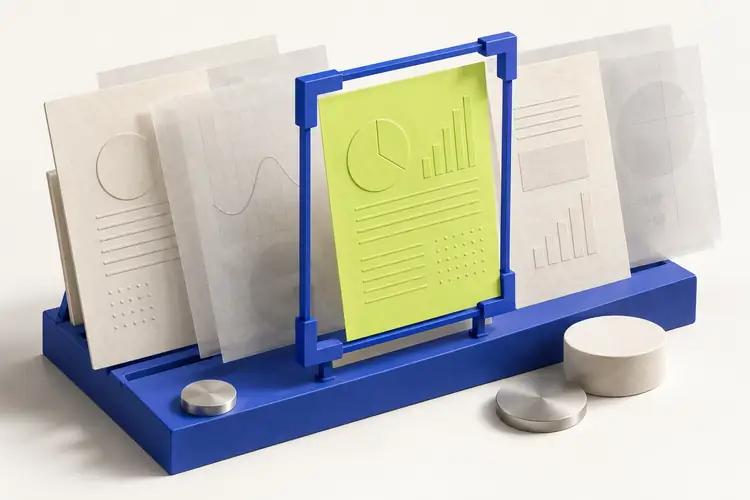
A cobalt frame picks out one lime design direction from a row of paper drafts.
AI for DesignersLive online workshop
Danielle, from the video

From the video

Brief to Buy-InSix free AI prompts for designers

Worked with teams at

PepsiCoSt. Jude Children’s Research HospitalDeloitteMoonfareUniversity of Toronto

Being a designer is harder than it used to be.

  • “My clients are moving fast and encouraging me to use AI to keep up.”

  • “They want us to use AI to increase our productivity to be that of 2 people each.”

  • “It’s the kind of treadmill that punishes mastery.”

Job descriptionDesigner

Turn a feeling into screens and flowsThe thinking

AI can carry the rest

  • Sort a month of user research
  • Write up every decision
  • Brief the engineers

“I was becoming an editor of AI slop instead of being a visual problem solver!!”

The screens were never the genius. Your thinking was.

Designers are translators, turning an emotional vision into screens and flows. AI is predictive, so it’s good at copying and bad at original ideas.

Stop asking AI for screens. Start handing it everything else.

Every new page used to take me months. Now it takes a day.

I ran Design Match, a marketplace for over 10,000 designers. Every new landing page for our own site took months of back-and-forth between engineers, designers and a copywriter.

Now I research, write and ship one in a day with AI, and I still make every call. It’s the same way of working I taught PepsiCo’s designers.

New landing page

Team
Engineers, designers and a copywriter

2017Months

NowOne day

The Switchboards Method

You stay firmly in the driver’s seat.The six prompts from the video, step by step.

  1. Step 1

    Visualize

    Brief AI on your project once, so it sorts your research with a quote behind each pattern.

    In the kit: The Context Block and Research with Receipts

    See the promptPrompt 1 · The Context BlockCONTEXT BLOCK (paste this first, every time) Product: [what it is, in one line] User: [who, and what they did 5 minutes before they got here]
  2. Step 2

    Automate

    AI drafts the write-ups and plays your client, engineer and boss before the review.

    In the kit: The 30-Minute Expansion, The Skeptic Pass and The Handoff Pack

    See the promptPrompt 4 · The Skeptic PassPlay three people, one at a time. Be tough but fair. 1. My client: What worries you? What would make you say no?
  3. Step 3

    Optimize

    Your project folder remembers every decision, ready for the next project.

    In the kit: Project Memory

    See the promptPrompt 6 · Project MemoryAnswer from these files only: What did we decide about the empty state, and why?

Want to set this up live, on your own project? When you sign up for the kit, you’ll also hear the next workshop date first.

Live online workshop

AI for Designers

Bring the project you’re designing this week. You’ll set the process up on it, then use it on every project after.

The process you’ll have running

  1. AI reads your project brief before every task, so nothing comes back generic.
  2. Your research gets sorted into patterns, with a quote behind each one.
  3. Before each review, AI plays your client, engineer and boss, so you hear their objections first.
  4. Write-ups and handoffs start from your decisions, so you edit instead of starting from scratch.
  5. Your project folder remembers every decision and why you made it.

Most people never finish a self-paced AI course. This one is live, so your process is running before the session ends.

Joining the waitlist is free, and you’ll hear the next date first.

You’re already on the list, so you’ll hear the next date first.

You’re the designer people ask “What do you think?”, not “Can you make it pop?”

Walk into your next review with the why already on the page. I swear they’ll think you’re a genius.

Free prompts

Not ready for a workshop yet? Start with six free prompts.Got a review coming up? Start with one free prompt.

They’re called Brief to Buy-In. Paste them into any AI tonight, and they’ll sort your research, rehearse your next review and draft your handoff.The Skeptic Pass plays your client, your engineer and your boss, so you hear their objections before the meeting does. The other five free prompts come with it.

It’s free, and it opens as soon as you sign up.

Brief to Buy-InSix free AI prompts for designers
  1. The Context Block
  2. The 30-Minute Expansion
  3. Research with Receipts
  4. The Skeptic Pass
  5. The Handoff Pack
  6. Project Memory

Questions

What’s the difference between the workshop and the free prompts?

The workshop is live. You bring the project you’re designing and set the whole process up on it with me, so it runs on every project after. The six free prompts are a starting point you can paste into any AI on your own. Joining the waitlist is free, and the workshop is paid.

Won’t AI make my work generic?

AI copies. The ideas stay yours. Generic output is what you get when AI knows nothing about your project, so the first thing you set up is a brief it reads every time. You still make every design call.

Won’t it all change next month?

The tools will keep changing, so you learn a way of working, not an app. It works in whichever AI you use, and your project folder comes with you when you switch.

Isn’t this free on YouTube?

Some of it is, including my own videos. What a video can’t do is set the process up on your project with you. In the workshop you build it live, so it keeps running after the session ends.

My company already makes us use AI. Isn’t that enough?

Being told to use AI isn’t the same as it being useful. Most mandates hand you a tool and a target. The workshop shows you where AI saves hours, on the research, the reviews and the handoff, so you hit the target and your work gets better.

Which AI do I need?

Whichever one you already use, or the one your company allows: Claude, ChatGPT, Gemini or Copilot. You don’t need to buy anything new.

Can I use it on client work?

Yes, once you’ve anonymised it. The free prompts come with a five-step checklist for that. Never paste anything that’s under NDA.

Can my whole team do this?

Yes. I also run private, live training for design teams, built around your team’s own projects. Here’s how team training works.

AI for Designers · live workshopBrief to Buy-In · free kit

Bring the project you’re designing now, and set up a process you’ll use on every project after it.

Tonight, spend ten minutes briefing AI on whatever you’re designing this week.

Run the Skeptic Pass before your next review. All six prompts come with it.

You’re on the list, so you’ll hear the next date first. Until then, your free prompts are ready.

You’re joining the waitlist for the live workshop. It’s free, and you’ll hear the next date first.

It’s free, and it opens as soon as you sign up.

It’s free, and it opens as soon as you sign up.

Open the free prompts

Join the waitlistSend me the free kitSend me the Skeptic Pass